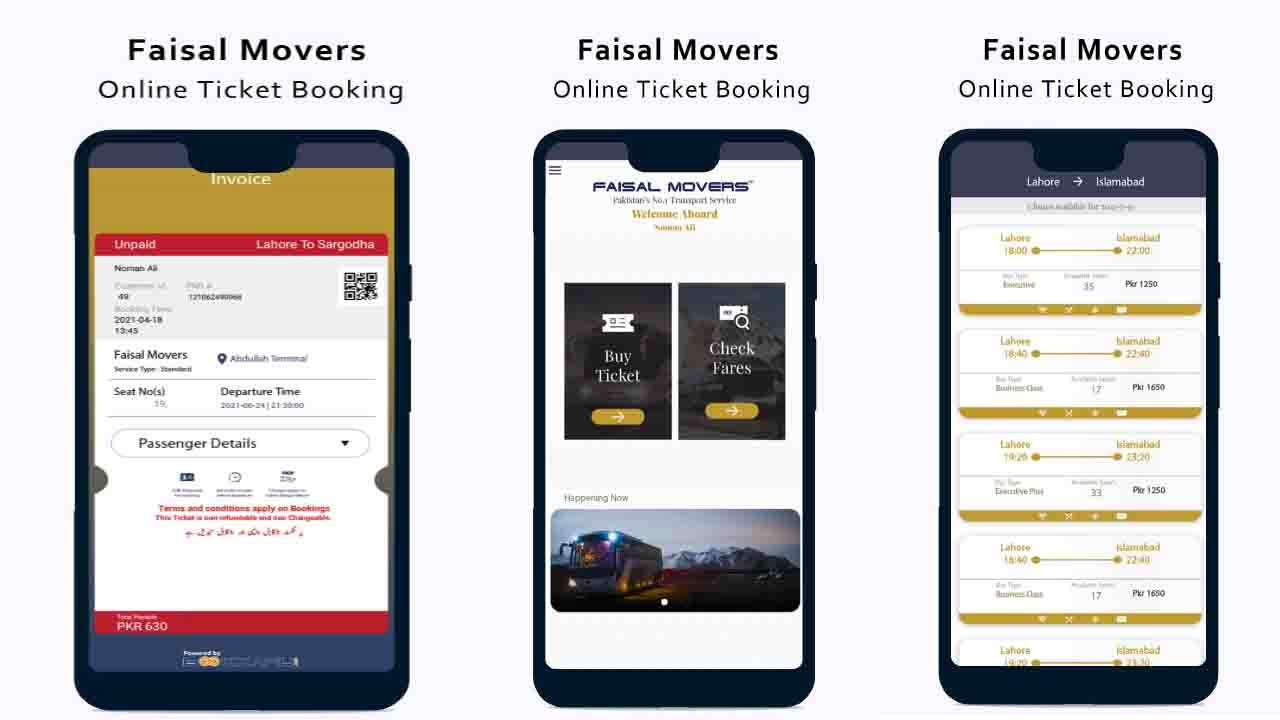
Faisal Movers Online Booking Gone are the days of standing in long terminal queues just to buy a
bus ticket. Faisal Movers now offers multiple ways to book your seat
online, saving you time and letting you choose your exact seat, class,
and timing from your phone.
This guide walks you through every method available website, mobile app, and third-party booking platforms so you can pick
whichever works best for you.
Method 1: Booking Through the Faisal
Movers Website
This is the most direct way to book, since you’re getting your ticket
straight from the source.
Steps:
1. Go to the official Faisal Movers website.
2.Select your departure city and destination city.
3.Choose your travel date.
4.Browse available buses and select your preferred departure time.
5.Pick your seat class (Standard, Executive, or Business)
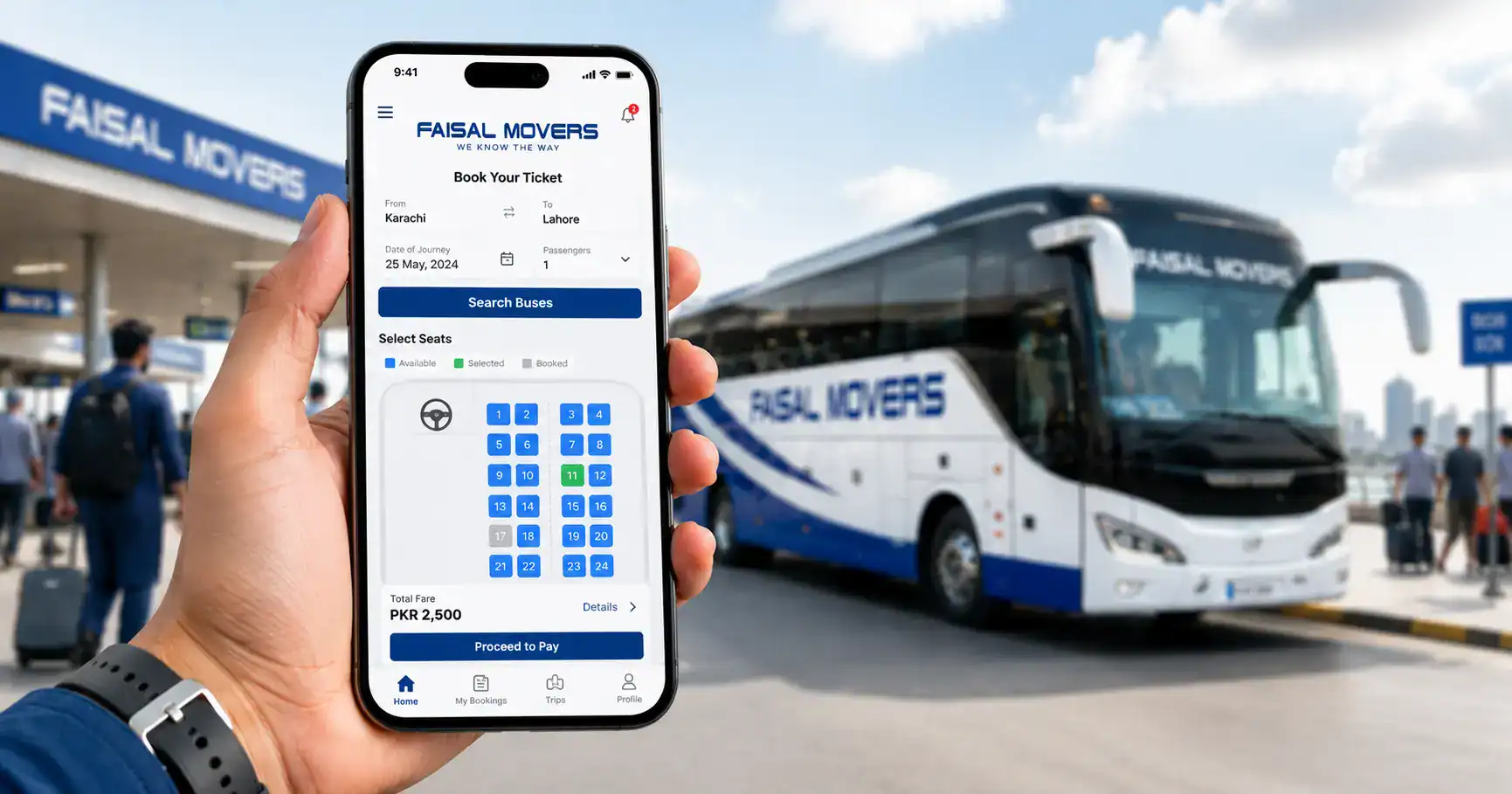
6.Select your specific seat from the seat map.
7.Enter passenger details (name, CNIC, contact number)
8.Choose a payment method and complete payment.
9.Receive your e-ticket via SMS or email.
Best for: Travelers who want direct booking with no third-party fees.
Method 2: Booking Through the Faisal
Movers Mobile App
If you travel frequently, the mobile app can be more convenient since
your details and past bookings are saved for faster checkout next
time.
Steps:
1.Download the Faisal Movers app(Bookkaru) from the Play Store or App Store for online booking .
2.Create an account or log in.
3.Search your route and travel date.
4.Select your bus, class, and seat.
5.Confirm passenger details.
6.Pay through your preferred method (card, mobile wallet, or bank
transfer, depending on availability)
7.Your e-ticket is saved directly in the app for easy access at the terminal
Best for: Frequent travelers who want saved details and quick
rebooking.
Method 3: Booking Through Third-Party
Platforms
Several third-party ticketing platforms also list Faisal Movers routes
alongside other bus operators, which can be useful if you want to
compare prices and timings across companies in one place.
Steps:
1. Open the third-party booking platform (app or website)
2.Search for Faisal Movers specifically, or filter by operator.
3.Compare available timings and fares.
4.Select your seat and complete booking.
5.Receive confirmation via SMS or email.
Note: While convenient for comparison shopping, booking directly
through the official Faisal Movers website or app is often more
reliable for real-time seat availability and avoids any additional
service fees some third-party platforms may charge.
Payment Methods Typically Available
- Debit/Credit card
- Mobile wallet (JazzCash, Easypaisa)
- Bank transfer
- Cash on arrival at select terminals (for in-person bookings only)
Always check which payment options are available for your specific
route before starting the booking process.
Note: Online payment options, booking policies, and ticket availability may change over time. Always verify the latest details before completing your reservation.
Common Online Booking Issues & Fixes
Payment not going through Double-check your card details or
mobile wallet balance. If the issue persists, try an alternate payment
method or contact the helpline.
Seat map not loading This is often a temporary connectivity issue.
Refresh the page or try again after a few minutes, or switch between
the website and app.
Ticket not received after payment Check your SMS and email
(including spam folder). If it doesn’t arrive within a reasonable time,
contact Faisal Movers support with your payment confirmation
details.
Wrong details entered Contact the helpline as soon as possible
before your travel date, since correcting passenger details closer to
departure time may not always be possible.
Why Choose Online Booking?
Choosing Faisal Movers Online Booking is one of the easiest ways to secure your preferred seat before your travel date. It saves time, reduces waiting at terminals, and lets you compare schedules from anywhere. Whether you use the website or mobile app, Faisal Movers Online Booking provides a convenient and reliable experience for travelers who want a quick and hassle-free ticket reservation process.
Tips for a Smooth Online Booking
Experience
- Book at least a few days in advance, especially during peak travel seasons like Eid.
- Double-check your CNIC and contact details before confirming payment.
- Take a screenshot of your e-ticket as backup, in case of connectivity issues at the terminal.
- Compare seat classes before booking if comfort matters more than price for your trip.
Frequently Asked Questions
Can I book a Faisal Movers ticket without creating an account?
On the website, you can often book as a guest, while the mobile app
usually requires an account for saved bookings and faster future
checkouts.
Is it safe to pay online for Faisal Movers tickets? Yes, official
booking channels use secure payment gateways, making online
payment safe as long as you’re using the official website or app.
Can I cancel or change my ticket after booking online? Yes,
ticket modifications and cancellations are generally allowed, though
terms and any applicable fees depend on how close to departure you
make the change.
Do I need to print my ticket, or is a digital copy enough? A
digital e-ticket on your phone is typically sufficient, but it’s a good
idea to keep a screenshot as backup in case of poor signal at the
terminal.
Which is better booking through the app or the website? Both
offer the same core booking process; the app is more convenient for
frequent travelers since it saves your details, while the website works
well for one-time or occasional bookings.
Skip the terminal queue
Book your Faisal Movers ticket online in
just a few minutes and travel with confidence. [Book Your Ticket Now]